Every tool on this list has a genuinely usable free tier you can start without entering a credit card — not a 7-day trial that silently starts billing. That distinction matters more than it sounds: half the "free AI tools" lists floating around are actually lists of trials, and you find out on day eight when the invoice lands. Limits and features change often, so treat the details below as a starting point and confirm current terms on each provider's site.
How we chose: a tool made this list only if its free tier passes three tests — you can sign up without a card, the free tier is ongoing rather than time-limited, and you can complete a real task on it (not just look at a locked interface). We signed up for and ran the chat, writing, and design tools below ourselves; several of the screenshots in this article are from those sessions.
Table of Contents
Chat & research
1. ChatGPT (free tier)
OpenAI's free tier is ad-supported in some regions but remains genuinely usable for everyday writing, brainstorming, and Q&A without ever paying. The free plan gives you the current default model with a usage cap that resets over time — heavy sessions will hit the cap and offer you a downgraded model until it resets, which is the main thing Plus ($20/mo) removes. File uploads and image generation are included free but with tighter daily limits.
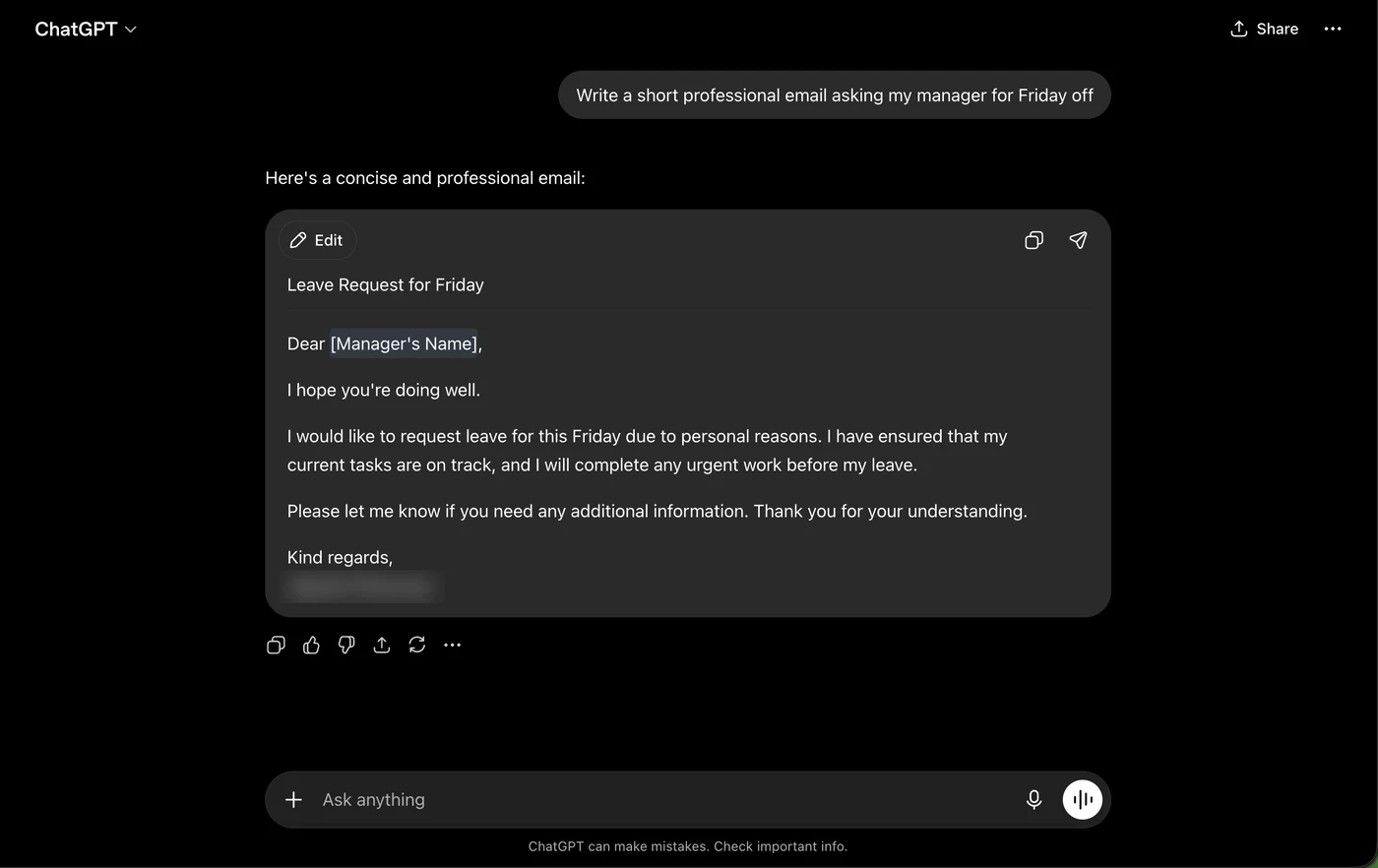
In practice, the free tier's sweet spot is exactly the kind of everyday task below — we asked it for a short leave-request email and got a usable draft in one attempt, with a subject line and placeholder for the manager's name:
Upgrade when: you hit the usage cap most days, or you need it during provider outages — paid users get priority when capacity is tight.
2. Claude (free tier)
Anthropic's free tier gives access to Claude for everyday use, with a smaller daily usage allowance than the paid Pro plan but no card required to start. The allowance is measured in messages and resets every few hours; long documents and long conversations use it up faster, so the free tier suits focused tasks better than all-day sessions. Where Claude's free tier stands out is text quality on summarizing, rewriting, and explaining — the tasks where you paste something in and want it back better.
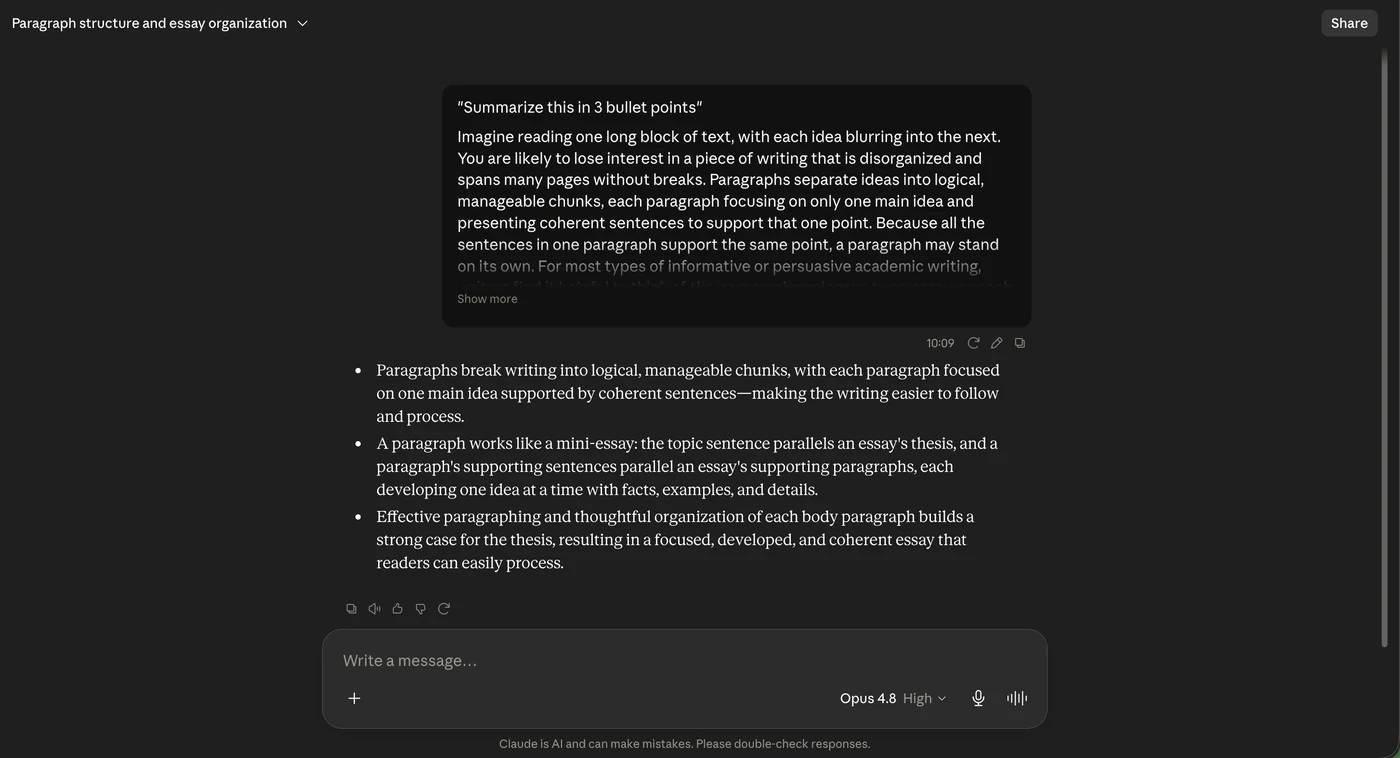
We ran our standard summarization test — paste a dense paragraph, ask for three bullet points — and the free tier handled it exactly as the paid plan would:
Upgrade when: you keep hitting the message cap mid-task. Pro ($20/mo) raises the allowance substantially and adds priority access.
3. Perplexity (free tier)
Covers light everyday research with cited, checkable sources — useful as a free alternative to manual search-and-verify. The free tier runs unlimited basic searches and a small daily number of "Pro" searches (the deeper, multi-step kind). Every claim in an answer carries a numbered source you can click and check, which is the feature that makes it safer than a plain chatbot for factual questions — you can see exactly where a price or claim came from, and we've caught outdated pricing in its sources more than once by doing exactly that.
Upgrade when: you want unlimited Pro searches or file analysis; casual research rarely needs the $20/mo plan.
Writing
4. Copy.ai (free tier)
A usable free tier for short-form marketing copy and outreach messages, before you'd need to upgrade for higher volume or team workflows. The free plan is capped by monthly word credits, which is fine for subject lines, product descriptions, and short outreach — and runs out fast if you try to draft long articles on it. That's the honest boundary: treat free Copy.ai as a short-form tool.
Upgrade when: you need volume or team seats; our Copy.ai vs Jasper comparison covers whether the $49/mo Pro plan is worth it against the alternative.
5. Grammarly (free tier)
Grammar and clarity suggestions with basic AI rewrite prompts, free across browser, desktop, and mobile keyboard. The free tier catches spelling, basic grammar, and punctuation everywhere you type — the paid tier's main additions are tone rewriting, fluency suggestions, and plagiarism checks. For most people writing email and chat, the free tier quietly covers 80% of the value.
Upgrade when: you write professionally in a second language (the fluency rewrites genuinely help) — otherwise the free tier holds up.
Coding
6. GitHub Copilot (free tier)
A limited free tier gives students, open-source maintainers, and casual users a taste of in-editor AI completion before considering Copilot Pro. The free tier is capped at a monthly allowance of completions and chat messages — enough to decide within a week whether in-editor AI fits how you code. Verified students and maintainers of popular open-source projects get Pro free, which is the best deal on this list if you qualify.
Upgrade when: the monthly cap interrupts real work; Pro is $10/mo, among the cheapest paid tiers in this article.
Image & design
7. Canva (Magic Studio, free tier)
Canva's free plan includes a meaningful allotment of AI image generation and background removal tools built directly into its design editor. The point isn't that Canva's generator beats Midjourney on quality — it doesn't — it's that the image lands directly inside a design tool where you can immediately put it on a social post, slide, or thumbnail without exporting anything. For non-designers who need "good enough, right now, in context," that workflow beats a better image in a separate tool.
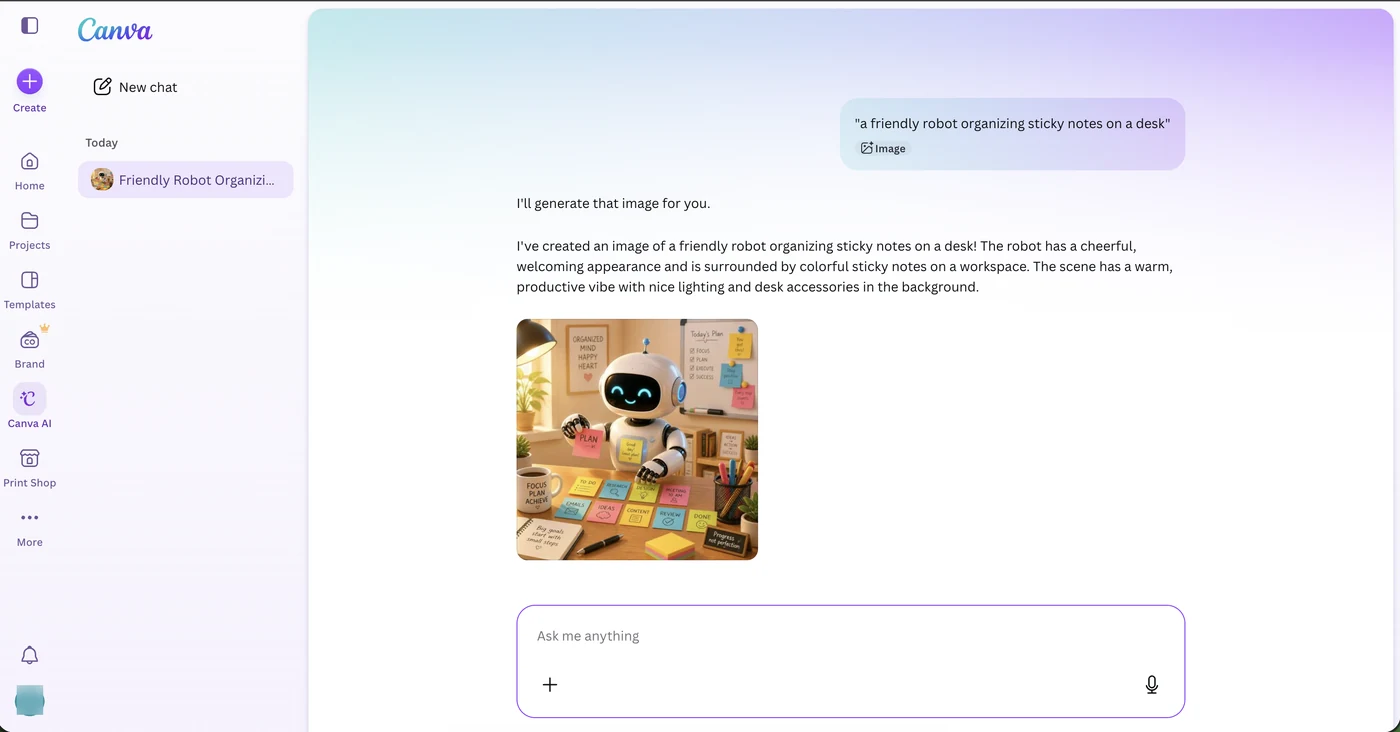
Here's the free tier generating an illustration from a one-line prompt in Canva's AI chat — prompt to placed-in-editor image, under a minute:
Upgrade when: you burn through the monthly generation quota or need brand-kit features — that's Canva Pro territory ($15/mo).
8. Pika (free tier)
A usable free tier for casual text-to-video generation, good for testing prompts before committing to a paid plan. Free generations are limited per day and queue behind paid users, so expect to wait at busy times — but for learning what text-to-video can and can't do before spending money, it's the lowest-friction entry point. Clips are short; treat it as a b-roll and social-clip tool, not a filmmaking one.
Upgrade when: wait times frustrate you or you need more daily generations — paid starts around $8/mo. For serious video work, see our AI video tools comparison.
Meetings & automation
9. Fathom
Free for individual use — real-time meeting transcription, summaries, and highlight clips with no seat limit for solo users. Fathom's free tier is unusually generous by meeting-tool standards: unlimited recordings for the individual user, with the paid tiers aimed at teams that want CRM sync and shared libraries. If you only need "record my calls and give me notes," the free tier is the whole product.
Upgrade when: your team needs shared recordings or CRM integration; solo users may never need to. Compared against Otter and friends in our AI meeting tools roundup.
10. Make (free tier)
A genuinely usable free tier for small, personal automation workflows connecting a handful of apps before you'd need the paid Core plan. The free tier includes 1,000 operations a month — enough for a personal workflow like "save Gmail attachments to Drive" or "log form submissions to a sheet" running all month, but not for anything business-critical. The visual scenario builder is identical on free and paid, so what you learn transfers directly.
Upgrade when: you exceed 1,000 operations or need faster run intervals — Core starts at $9/mo. How Make stacks up against Zapier and n8n is covered in our automation tools comparison.
All ten at a glance
| Tool | Free tier includes | Biggest free-tier limit | Paid starts at |
|---|---|---|---|
| ChatGPT | Default model, uploads, image gen | Usage cap, then downgraded model | $20/mo |
| Claude | Full model quality | Message allowance per few hours | $20/mo |
| Perplexity | Unlimited basic search, citations | Few "Pro" searches per day | $20/mo |
| Copy.ai | Short-form copy tools | Monthly word credits | $49/mo |
| Grammarly | Grammar + clarity everywhere | No tone/fluency rewrites | $12/mo* |
| GitHub Copilot | In-editor completions + chat | Monthly completion cap | $10/mo |
| Canva | AI image gen inside editor | Monthly generation quota | $15/mo |
| Pika | Daily video generations | Queue waits, short clips | ~$8/mo |
| Fathom | Unlimited solo recordings | Team features only paid | Team plans |
| Make | 1,000 operations/month | Operation count, run intervals | $9/mo |
*Billed annually. All prices checked against vendor pricing pages in July 2026; confirm before subscribing.
Frequently asked questions
All ten have an ongoing free tier rather than a time-limited trial, though usage limits (messages per day, minutes per month, etc.) apply and vary by provider.
None of the tools listed here require a credit card just to access their free tier, as of when this article was last updated. Always double check at sign-up, since provider policies change.
Yes, and it's often the smartest setup: Claude or ChatGPT for writing, Perplexity for sourced research, Canva for visuals, Fathom for meetings, and Make to glue workflows together costs exactly $0/month. The main price is switching between tabs — paid plans mostly buy you higher limits, not different capabilities.
For general use, ChatGPT's and Claude's free tiers cover the widest range of everyday tasks without paying anything.
This article is independent editorial content. Free-tier limits and terms change frequently — confirm current details on each provider's site before relying on them. See our Affiliate Disclosure for our general policy.